
Collect every photo from freshers' weeks
A QR code on the overalls — every fresher's photos from dinners, pub crawls and student-union parties are collected automatically. No app, no login. Your student section gets a complete photo bank to share with the whole year.
- Free to start
- One QR code for the whole period
- No app for the freshers
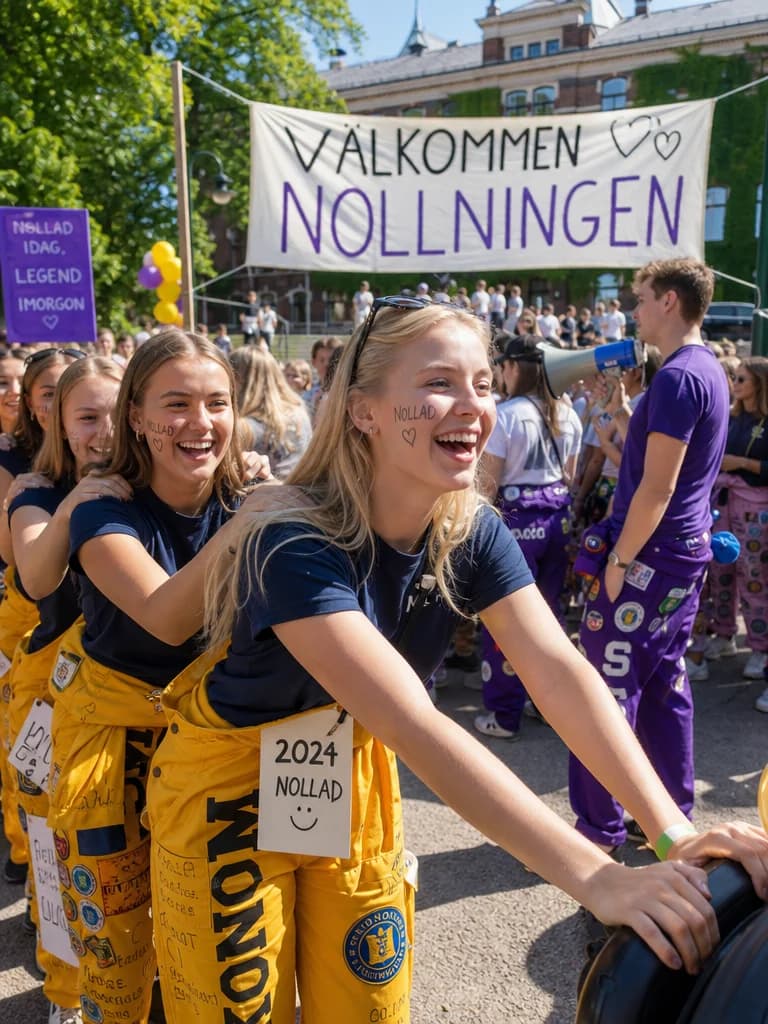
Collecting freshers' photos, made simple
Three steps — and you're ready before the first dinner party.
- Steg 1
Create your freshers' event
Sign up for free as a mentor group, student section or welcome committee. Create one event for the whole freshers' period — done in under a minute.
- Steg 2
Share the QR code with the freshers
Put the QR code on overalls, stickers, dinner menus and around the student union. Send the link in the group chat too — freshers upload right away.
- Steg 3
Every photo is collected automatically
Throughout the freshers' period, photos and videos gather in the same album. Afterwards the section has a complete photo bank to share with the year.
Built to survive a freshers' period
Made to work in the middle of a dinner party, on a pub crawl or on the dance floor.
No app required
Freshers and mentors upload straight from their phones via a link. Works on iPhone, Android — no login.
One QR code for the whole period
The same QR code works for weeks. Stick it on the overalls, on posters in the union building and on the dinner menus.
Everything in one place
No chasing photos across ten Snapchat stories and Instagram accounts. The whole freshers' period gathers in one shared album.
Download everything afterwards
When the welcome period is over, the section can download the entire photo bank — perfect for the yearbook or the section's archive.
One photo bank for the whole welcome period
Whatever you call it — freshers' weeks, orientation, intro week or welcome period — Digipic captures every part of it in the same album.
Create an event for your section- Formal dinners and gasques
- Pub crawls and union parties
- Games, competitions and challenges
- Orientation days and campus tours
- Regattas, revues and sketches
- Overall patches and fresher groups
Common questions about freshers' photos
Answers to what mentor groups and sections usually wonder about.
Who should create the event — the mentor group or the section?
Both work. Many sections create one event covering the whole freshers' period, while individual mentor groups often create their own events for their group. You can run several events in parallel — one for the section and one per mentor group.
Do the freshers need to download an app?
No. Freshers scan the QR code or open the link right in their regular browser. No app, no account — they're up and running in seconds, even in the middle of a dinner party.
How do we share the QR code during the freshers' period?
Stick the QR code on the overalls, print it as stickers for the freshers, put it on posters in the union building, on dinner menus and in the group chat on Discord or Messenger. Every QR code leads to the same collection.
Can we collect photos from several events in the same album?
Yes. One event covers the whole freshers' period, so photos from orientation, dinners, pub crawls and union parties gather in the same photo bank.
Who can see the photos?
Only people with the link or QR code. As the organizer you have full control — you can review, remove inappropriate photos and decide whether freshers can see each other's uploads.
How much does Digipic cost for a freshers' period?
Getting started is free. For a whole freshers' period with many freshers and several events, we recommend a paid plan with more storage, more uploads and a longer retention period. See the plans on the pricing page.
Ready to collect the photos from freshers' weeks?
Create your event for free today. No credit card, no hassle — ready before the first dinner party.