
Shared photo albums for weddings, parties and events
Get every guest photo – without chasing anyone.
Share a QR code at your wedding, party or conference. Guests upload straight from their phones and everything lands in one album you control.
Free to start · No card · No app for guests
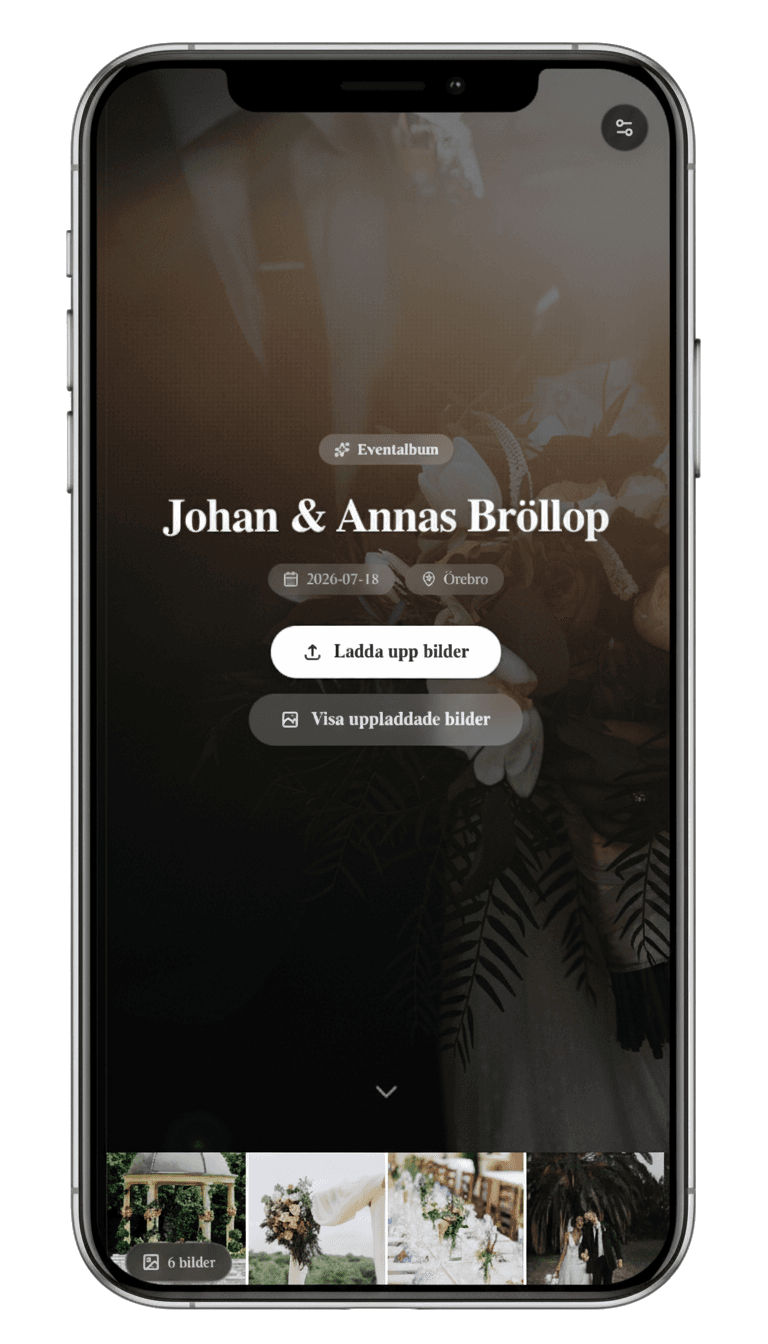
Memories from weddings and parties across Sweden
- weddings and parties hosted on Digipic
- 200+
- memories collected across Sweden
- 30,000+
- No app or guest account
- All data stored within the EU/EEA
- Photos kept at full resolution
- Swedish company and human support
How it works
Three steps. No fuss.
You prepare everything before the event. Guests only need their phone camera.
- 01
Create the event
Add a name, date and cover photo. Your QR code and share link are created automatically.
- 02
Share the QR code
Print ready-made signs or send the link. Guests open the album directly in their browser.
- 03
Download everything
Every photo and video lands in one place and can be downloaded as a package after the event.
For organizers
You stay in control.
Follow uploads, manage what is visible and download photos at full resolution during the storage period. Digipic works just as well on mobile as it does on desktop.
- Approve, hide or delete uploads.
- Download every photo and video at once.
- Show new photos live during the event on the Event and Grand plans.
We don't downscale your photos. HEIC and PNG are converted to JPEG; other formats and videos are kept unchanged.
See the full flow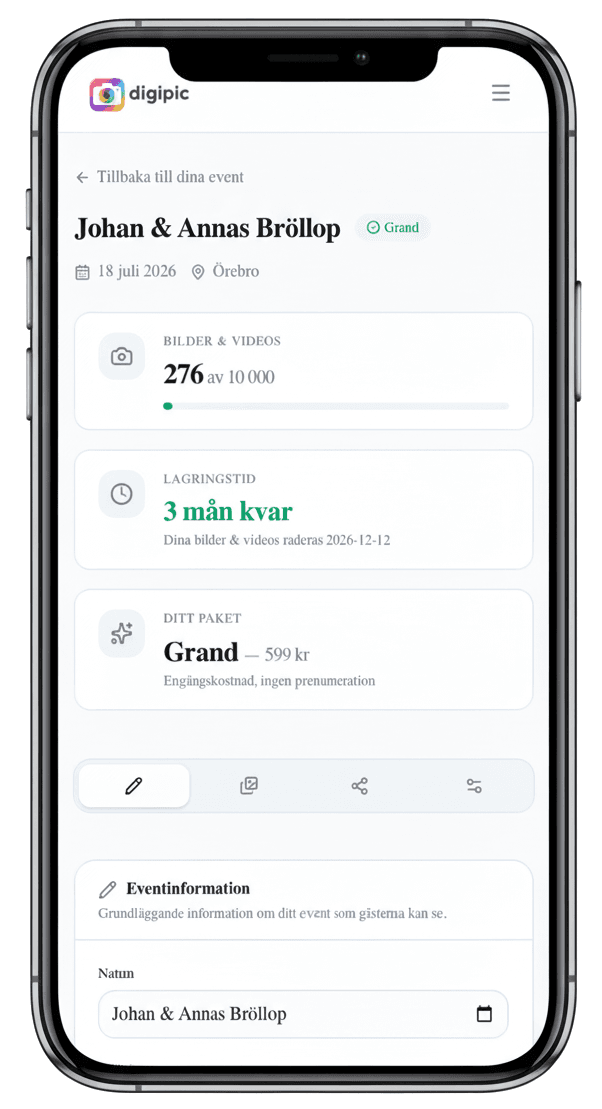
Clear pricing
Try it properly for free.
The free plan includes 50 uploads stored for 14 days and needs no card. Paid plans start at SEK 149 per event, include 90 days of storage and are paid for once. No subscription required.
Storage starts with the first upload. Download your files before it expires, or choose extended storage for a paid plan.
Compare all plansThe company behind it
Swedish company. EU storage.
Digipic is built and operated by EQ Web Solutions AB in Örebro, Sweden (company no. 559314-1301). We show no advertising, never sell your photos and answer support questions ourselves.
Questions before you start? Email us directly:contact@digipic.se
One album for the occasions when everyone takes photos.
Collect guest photos from a wedding, party, company event or group trip.
Common questions
What matters before you start
Do guests need an app or an account?
No. They scan the QR code or open the link and upload directly in their phone browser.
How much does Digipic cost?
The free plan costs SEK 0, needs no card and includes 50 uploads stored for 14 days. Paid plans from SEK 149 are one-off costs per event, not subscriptions.
When does storage start, and what happens when it expires?
Storage starts when the first photo or video is uploaded: 14 days on the free plan and 90 days on paid plans. You can prepare the event in advance and try uploading in a separate free test event. Download your files at no extra cost before storage expires. After that, event media is automatically deleted unless storage has been extended. Paid plans offer an optional storage subscription for SEK 29 per month per event.
Do photos keep their quality?
We preserve full photo resolution without downscaling. HEIC and PNG are converted to high-quality JPEG, so those files are not identical to the originals. JPG, WebP, GIF and videos are uploaded without conversion.
Where are the photos stored?
All data is stored within the EU/EEA. Traffic is encrypted with HTTPS/TLS, and you can delete individual files or the entire event.
Can I control which photos are visible?
Yes. With moderation enabled, new photos wait for your approval. You can also make the gallery private.
Who owns the uploaded photos?
You and your guests retain ownership. Digipic does not use the photos for other purposes, sell them or show advertising.
Create the QR code before the event.
It only takes a couple of minutes to prepare the album. Start free and upgrade only if you need more space.
Create an event freeNo card required